
Reservation Manager for Restaurants
Reservations with no crossed calls or double-booked tables
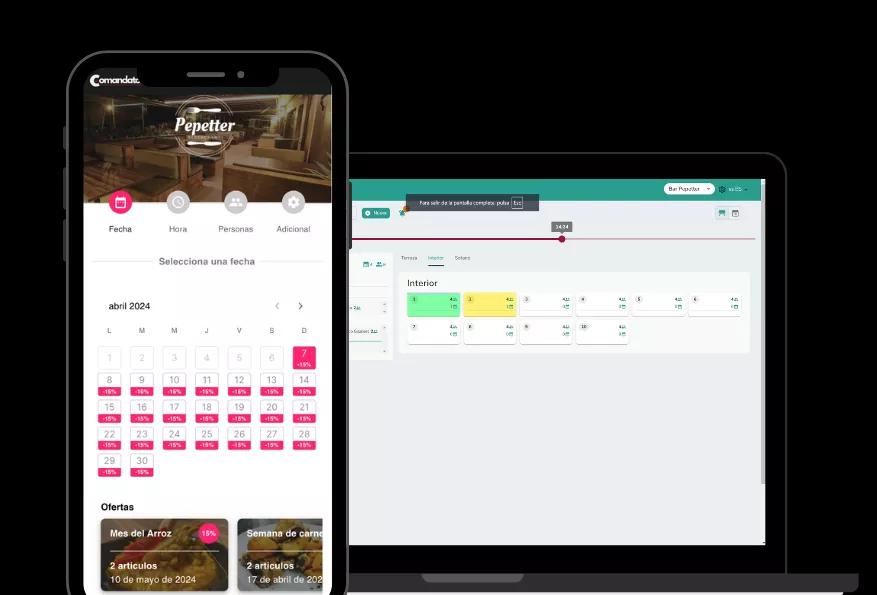
Manage all your reservations from one place, assign the right table and shift, and remind the guest before they arrive. No paper diary and no two reservations for the same table.
Connected to your dining room layout and zones.
Benefits
Why a reservation manager saves you time
See your dining room's status at a glance
You know which tables are booked, at what time and for how many guests, without asking around or checking a separate diary.
No overlaps or double bookings
The system accounts for each table's capacity and shift, so two reservations never clash in the same slot.
Automatic reminders to the guest
The guest gets a reminder before their reservation, cutting no-shows without you having to call anyone.
Reservations from your website or social media
Guests can book directly without calling by phone, and the reservation lands straight in your system.
History for every customer
See whether a guest has booked before, their preferences or past notes, so you can treat them better on each visit.
How it works
How a reservation gets handled
- 1
The guest books, or you register the call
The guest books from your website or social media, or you enter it yourself over the phone, with time, party size and notes.
- 2
You assign a table and shift
The system suggests free tables based on capacity and time, and you confirm the one that fits best.
- 3
The guest gets a reminder
Before their booked time, they're notified automatically, which cuts down on last-minute no-shows.
- 4
You mark the arrival and free the table when done
When the guest arrives, you mark the reservation as seated, and the table becomes available again once they leave.
In detail
Everything it includes
FAQ
Frequently asked questions about the reservation manager
What happens if two people try to book the same table?
The system checks availability in real time, so it won't let you confirm two reservations that overlap on the same table and shift.
Is the reminder sent automatically, or do I have to do it?
It's sent automatically before the reservation time, so you don't have to remember to notify every guest.
Can I see reservations together with the rest of the tables for that shift?
Yes, reservations show up on the same dining room layout you use for open tables, so you see everything together at a glance.
Related features
Everything connects: these features work alongside this one.
Organize your reservations with no overlaps
Tables assigned right the first time, and fewer last-minute no-shows.