
Handheld Ordering for the Dining Room
Take the order at the table and send it instantly
Staff take the order from their phone or a handheld without leaving the table, and it goes straight to the kitchen or bar. Fewer trips to the bar, fewer mistakes, and tables that turn over faster.
Uses the same menu and prices as the POS, nothing extra to set up.
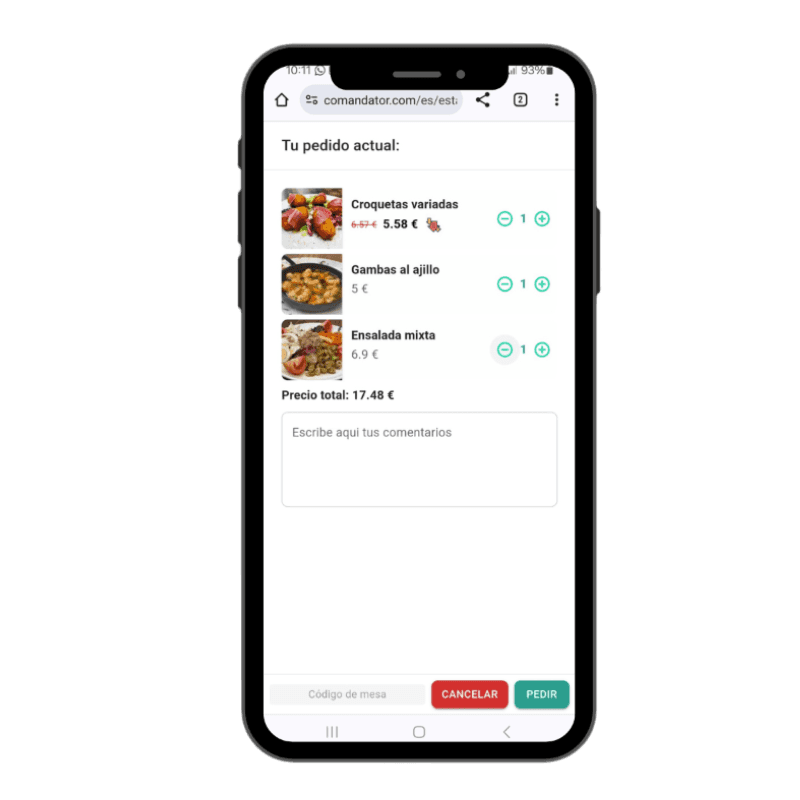
Benefits
Why take orders from the dining room
Fewer trips back and forth to the bar
Staff send the order from the table without having to go back to the fixed POS to enter it.
Fewer order mistakes
The order is written once and reaches the kitchen exactly as entered, not relying on it being remembered correctly.
Tables that turn over faster
The order hits the kitchen as soon as it's taken, not whenever staff finally make it back to the bar during a rush.
Works on the phone you already have
No need to buy dedicated handhelds: any staff phone or tablet works as an order-taking device.
Same menu as the POS
Categories, prices, modifiers and extras are the same as in the POS and the digital menu, nothing duplicated.
How it works
How handheld ordering works during service
- 1
Staff open the table from their phone
They pick the table from the floor plan directly on the device they're carrying.
- 2
Add dishes and the customer's notes
Choose products, modifiers, and add notes like no onion or rare before sending.
- 3
Send the order to the kitchen or bar
The order prints or shows up on the kitchen screen instantly, no need for staff to walk over.
- 4
Keep taking orders at other tables
While the kitchen prepares it, staff can keep serving and taking orders at other tables without losing their pace.
In detail
What's included in handheld ordering
FAQ
Frequently asked questions about handheld ordering
Does the order take a while to reach the kitchen?
No, it arrives instantly as soon as staff send it from the table, whether to the printer or the kitchen screen.
Can several staff members take orders at once?
Yes, each staff member orders from their own device and orders from all tables reach the kitchen in order.
Does it use the same menu as the POS?
Yes, it shows exactly the same products, prices and modifiers you already have configured in the POS.
Related features
Everything connects: these features work alongside this one.
Start ordering from the table
Fewer trips to the bar, error-free orders and faster tables.