
QR Table Ordering for Restaurants
Let guests order themselves, no waiting around
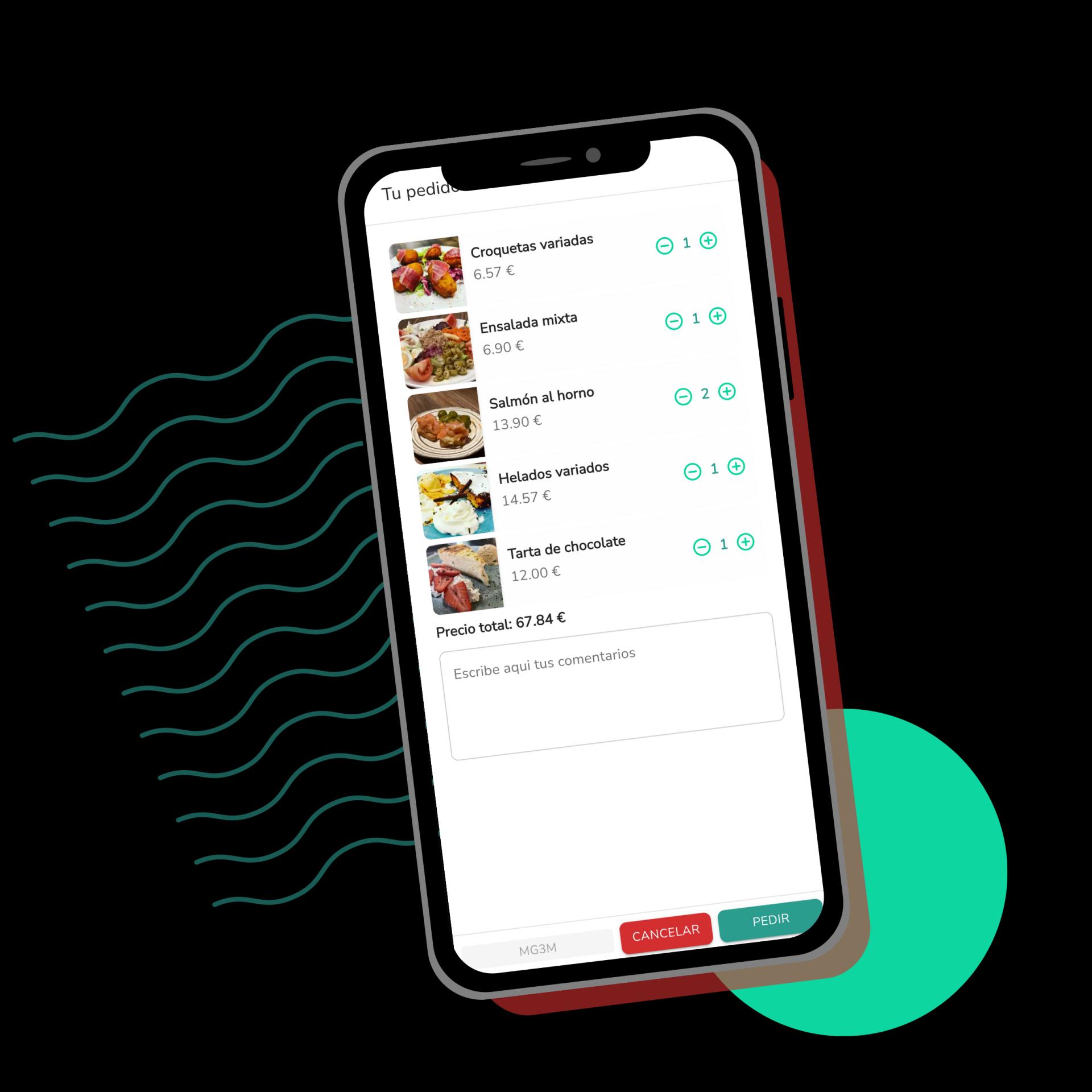
Guests scan the QR code on their table, browse the menu and order straight from their phone. The order reaches the kitchen or the bar instantly, with nobody writing it down by hand.
Runs on top of your digital menu, no extra sign-up or hardware needed.
Benefits
Why QR ordering removes work instead of adding it
Fewer trips to the table
Waiters don't have to walk over to take the order or come back to confirm it. The order comes in on its own and gets served once it's ready.
No mistakes copying the order down
Whatever the guest orders reaches the kitchen exactly as typed, with no interpretation or hard-to-read handwriting involved.
Extra rounds and repeat orders in one tap
Guests can order another round or repeat the same order without calling the waiter, and everything adds up to the same table.
Higher average ticket
With photos and suggestions visible on the phone, guests find it easier to add an extra, a dessert or a drink.
Managed from the same POS
Everything ordered by QR lands on the same table bill you manage from the POS, with nothing duplicated.
How it works
How it works day to day
- 1
The guest scans their table's QR code
Each table has its own code. The menu opens right in the phone's browser, no app to install.
- 2
They pick their dishes and confirm the order
They see photos, descriptions and allergens, add what they want to the cart and send it whenever they're ready.
- 3
Kitchen and bar get it instantly
The order shows up on the kitchen display or prints on a ticket, grouped by table and by round.
- 4
You close the bill whenever it's time
The waiter charges from the POS with everything ordered already loaded onto the table, with nothing to check by hand.
In detail
Everything it includes
FAQ
Frequently asked questions about table ordering
Does it replace waiters taking orders?
It doesn't replace it, it complements it. You can let some tables order by QR while a waiter still takes orders at others, whatever suits you.
Do I need to buy anything besides printing the QR codes?
No. The QR code is generated from Comandator and printed on paper or a sticker for the table. No tablet or extra hardware needed.
Can I turn it off for take-away or only use it in the dining room?
Yes, you decide which tables or zones have it active. You can combine it with online take-away orders without them interfering with each other.
Related features
Everything connects: these features work alongside this one.
Turn on QR ordering at your tables
Fewer queues at the bar, fewer mistakes, and waiters freer to look after guests.